
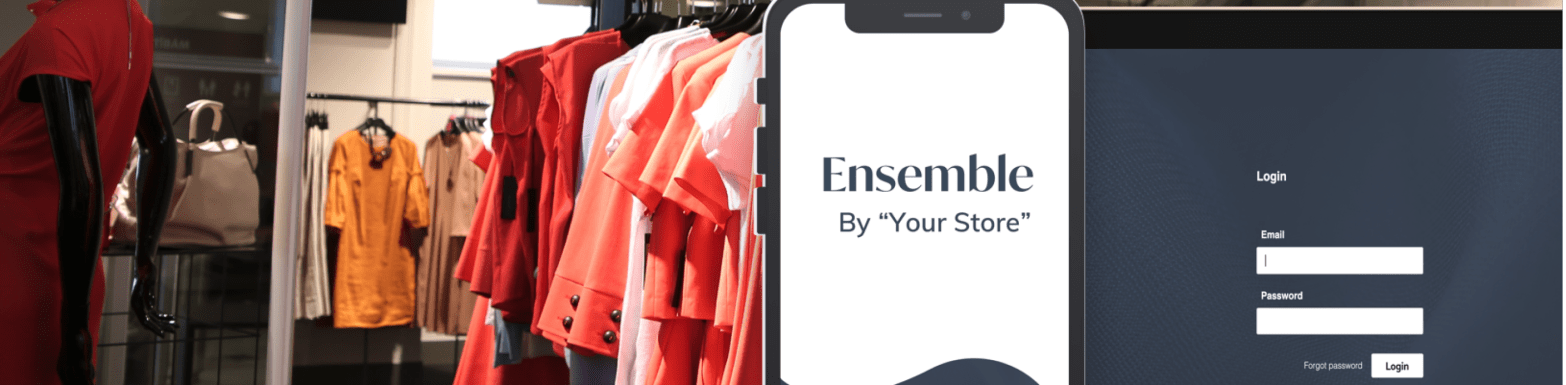
Company – Aviata
Challenge – To reimagine the user experience design for the Ensemble App
My Role – The only UI/UX Designer in the company
Project Timeline – August 2019 to February 2020
Overview
Aviata launched Ensemble for George Bass to modernize their customer experience. Positive feedback grew it into a full enterprise product for other boutiques.
My key accomplishments in this project were:
- Improved usability by applying Nielsen’s heuristics
- Created a style guide and reusable components in Sketch
- Stayed ahead of development by 1–2 sprints and prioritized issues
- Aligned stakeholders and resolved design–functionality conflicts
Design Process
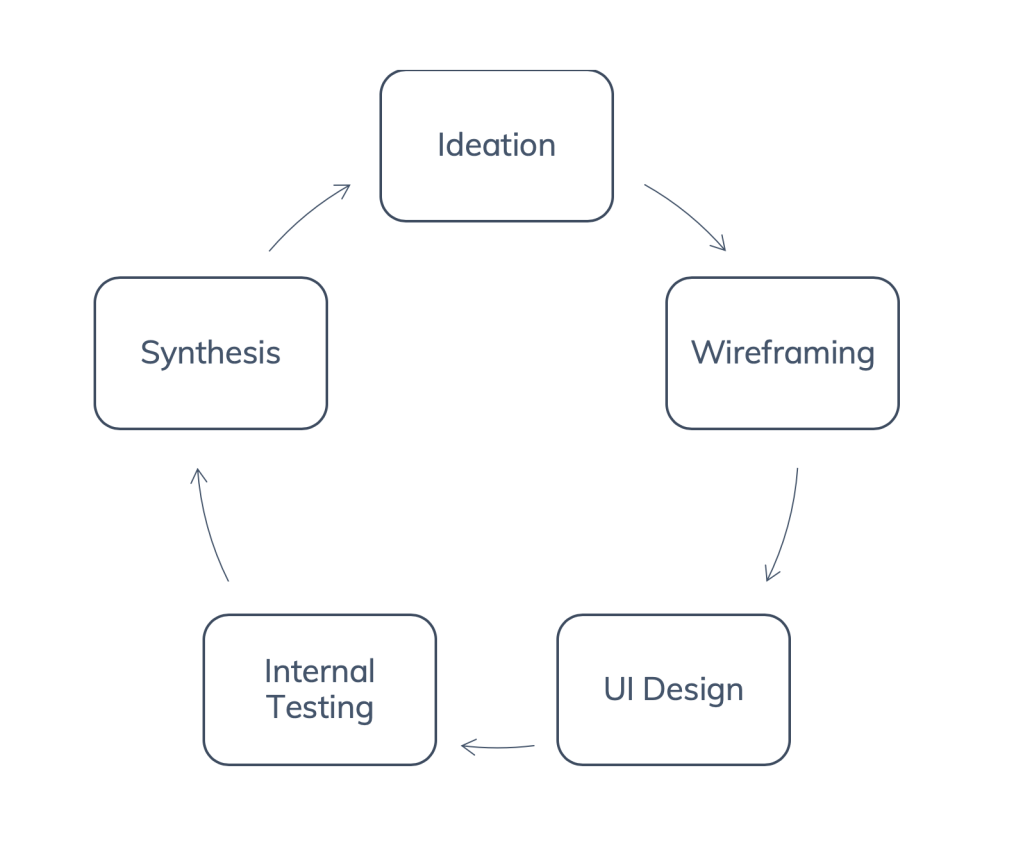
I worked in agile sprints, designing features ahead of dev. My process:
Each design sprint had the aforementioned cycle. Due to lack of time, I was only able to do minimal internal testing.
User Research
- Interviews with the product owner and client
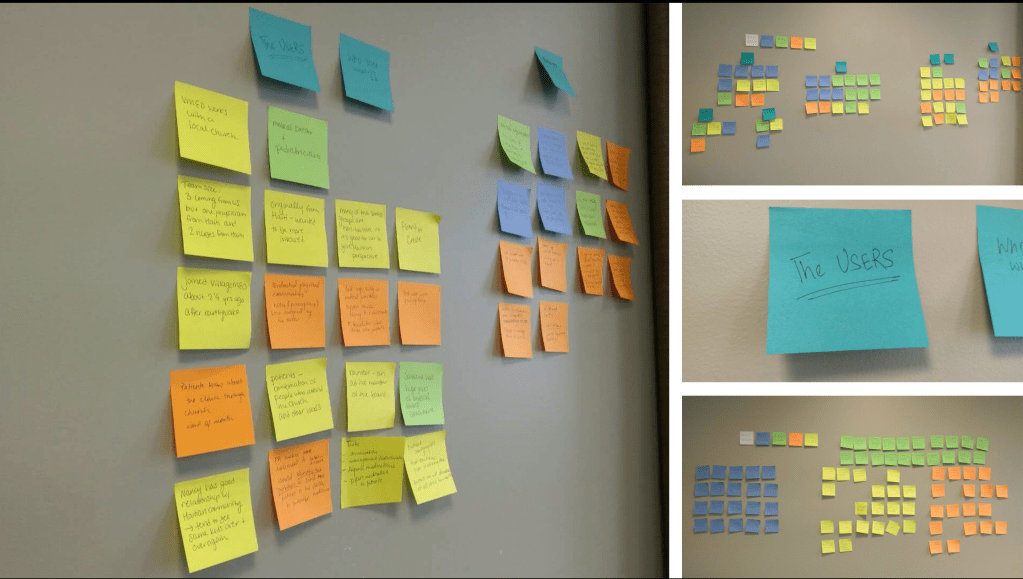
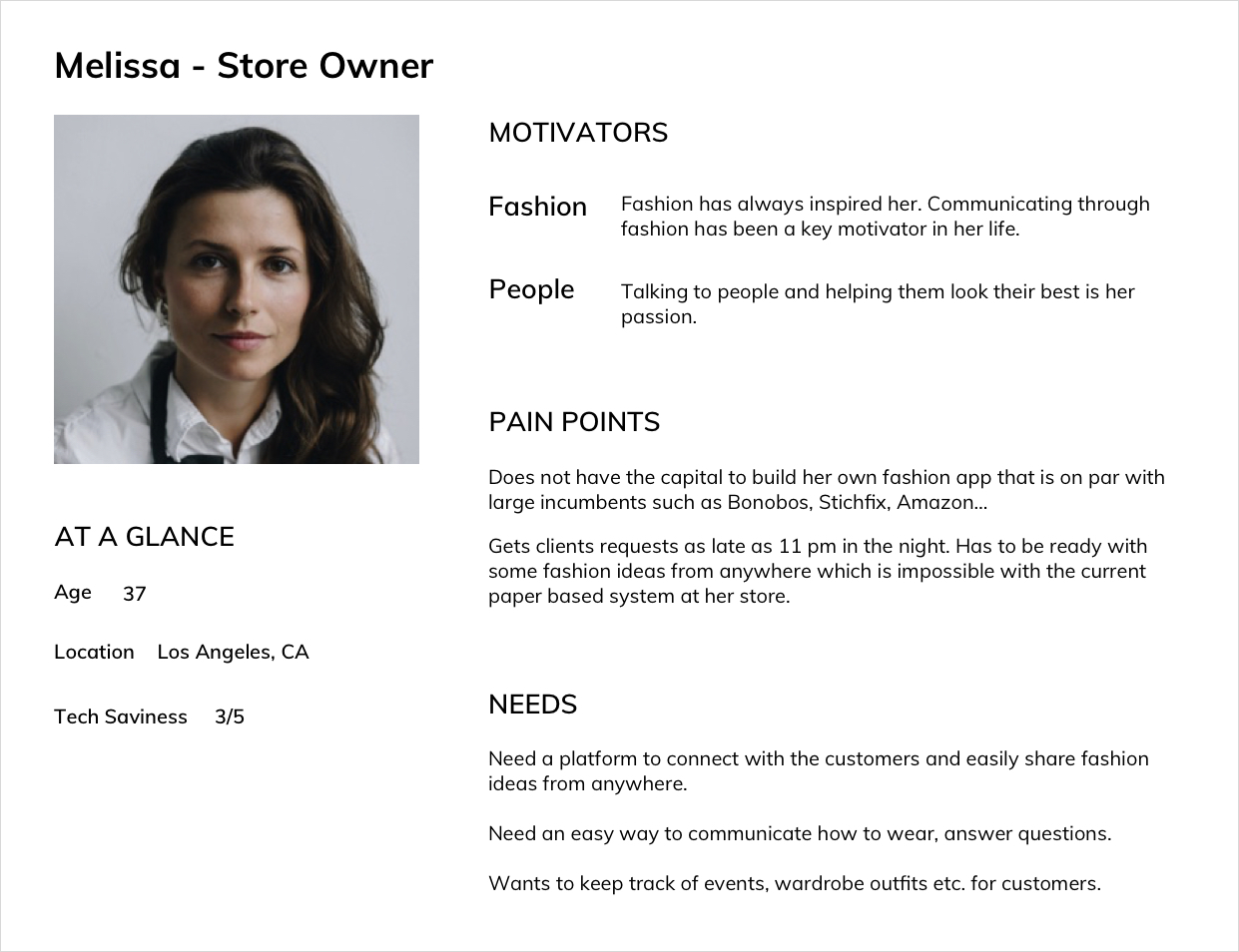
- Affinity Mapping, User Personas, and User Journey Maps
Ideation
- Challenge Mapping (“How might we” approach)
- Brainstorming using crazy 8’s and storyboarding
Prototyping
- Paper prototypes and low fidelity wireframes in sketch
- Inspiration board, high fidelity designs in sketch
Usability Testing
- Internal testing in-person moderated with people within the company
- Feedback from the client after each sprint
Research & Synthesis
- Small boutiques struggle to compete with big brands — they need simple, affordable tools.
- Many use manual processes (binders, texts) to manage customer preferences.
- There’s demand for custom clothing and personal styling for special events.
Most of the boutiques are using traditional methods to keep track of their customers’ sizes, wardrobe, events, and other preferences. It becomes inefficient to manage all that data.
Affinity Mapping
Personas

User Journey Map

Ideation & Wireframing
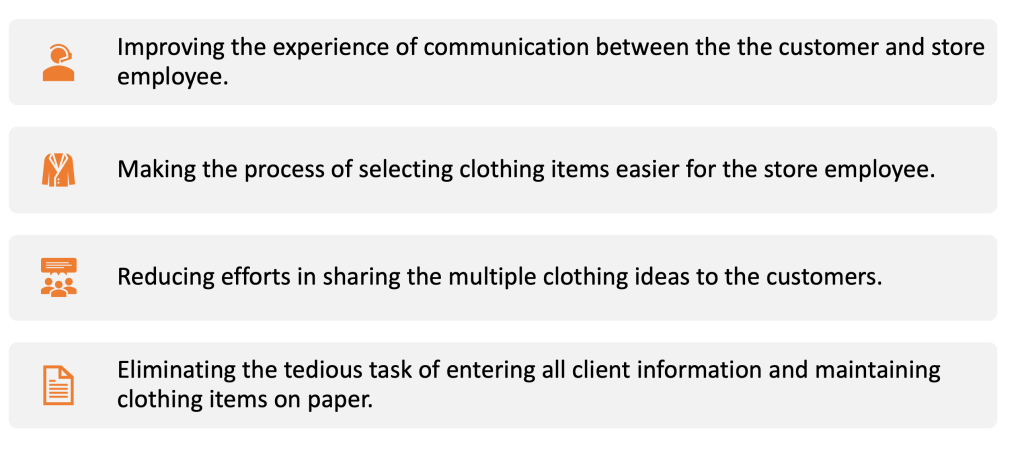
Design Challenges
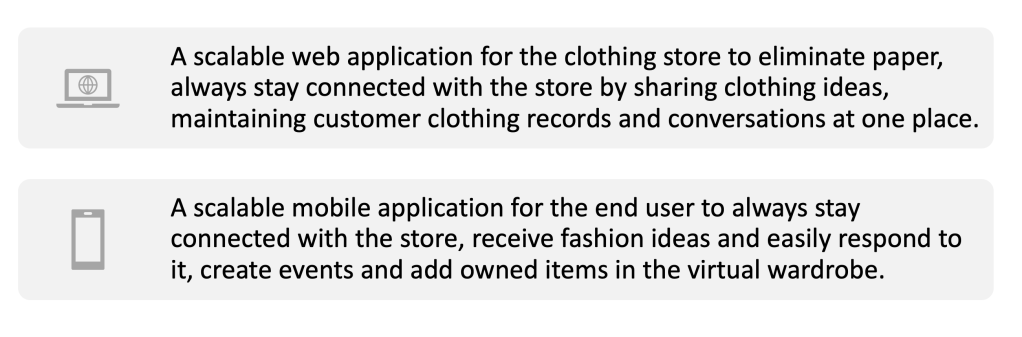
The Solution
Design Sprints
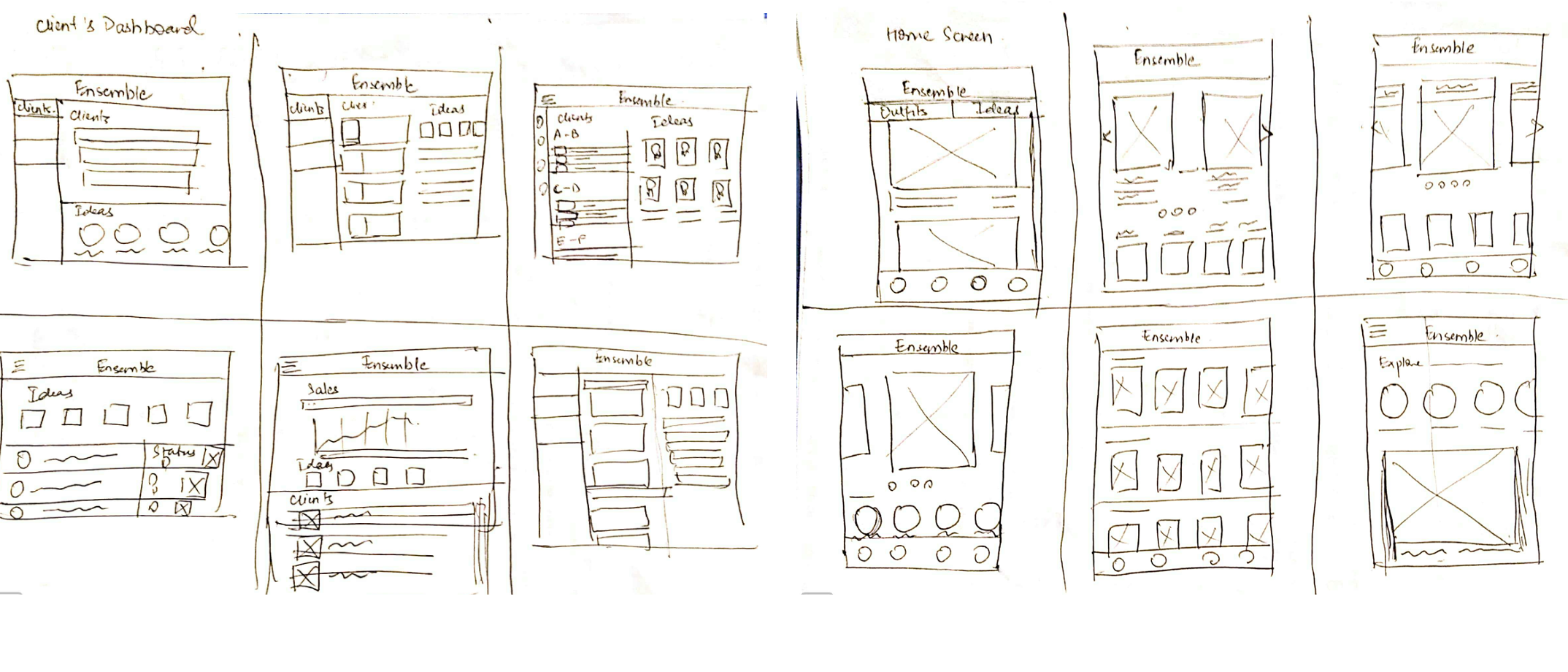
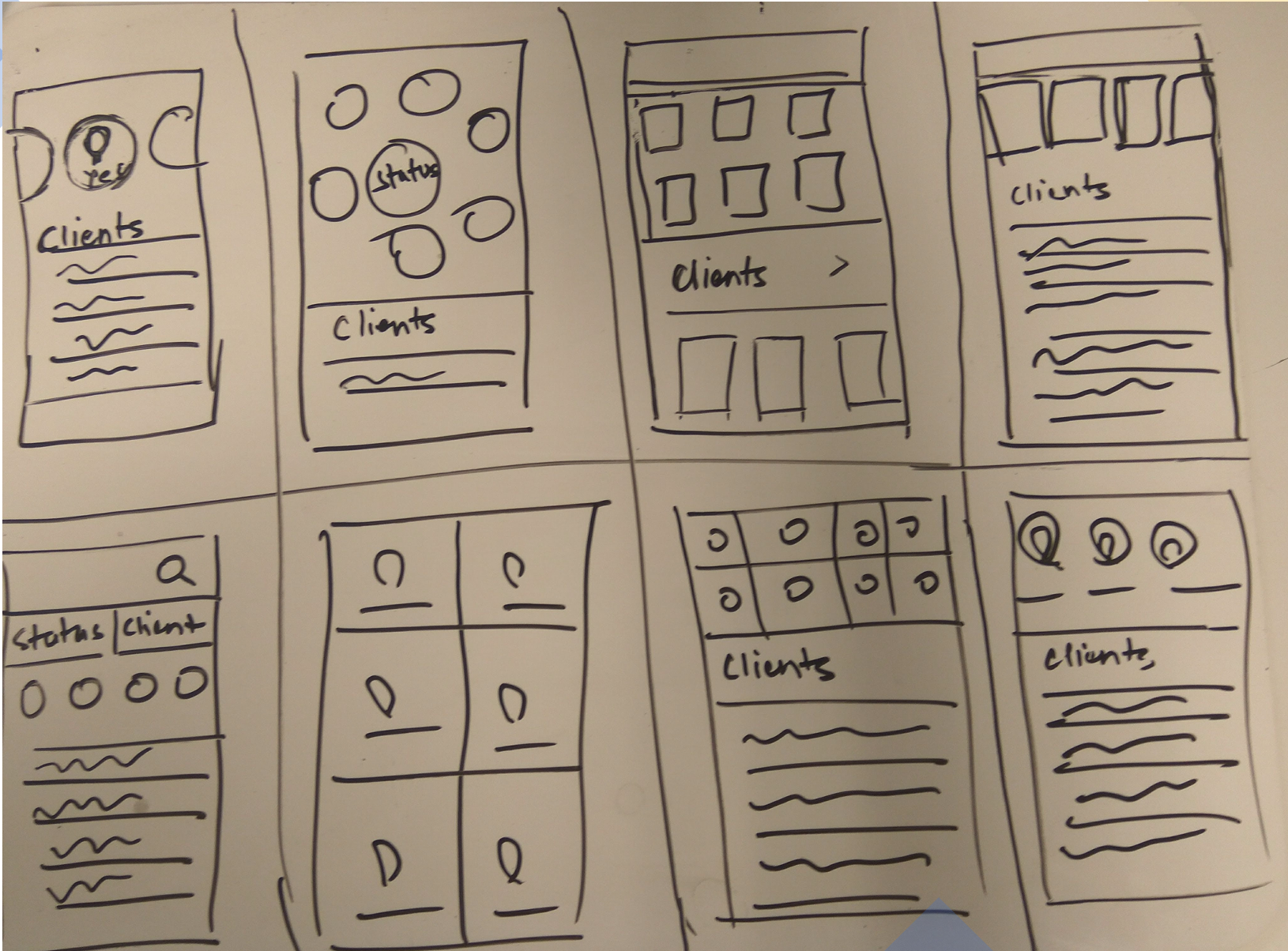
I did small feature-based design sprints keeping the user persona and journey in mind. Each design sprint involved some research, storyboarding, brainstorming layouts, and creating low fidelity designs.
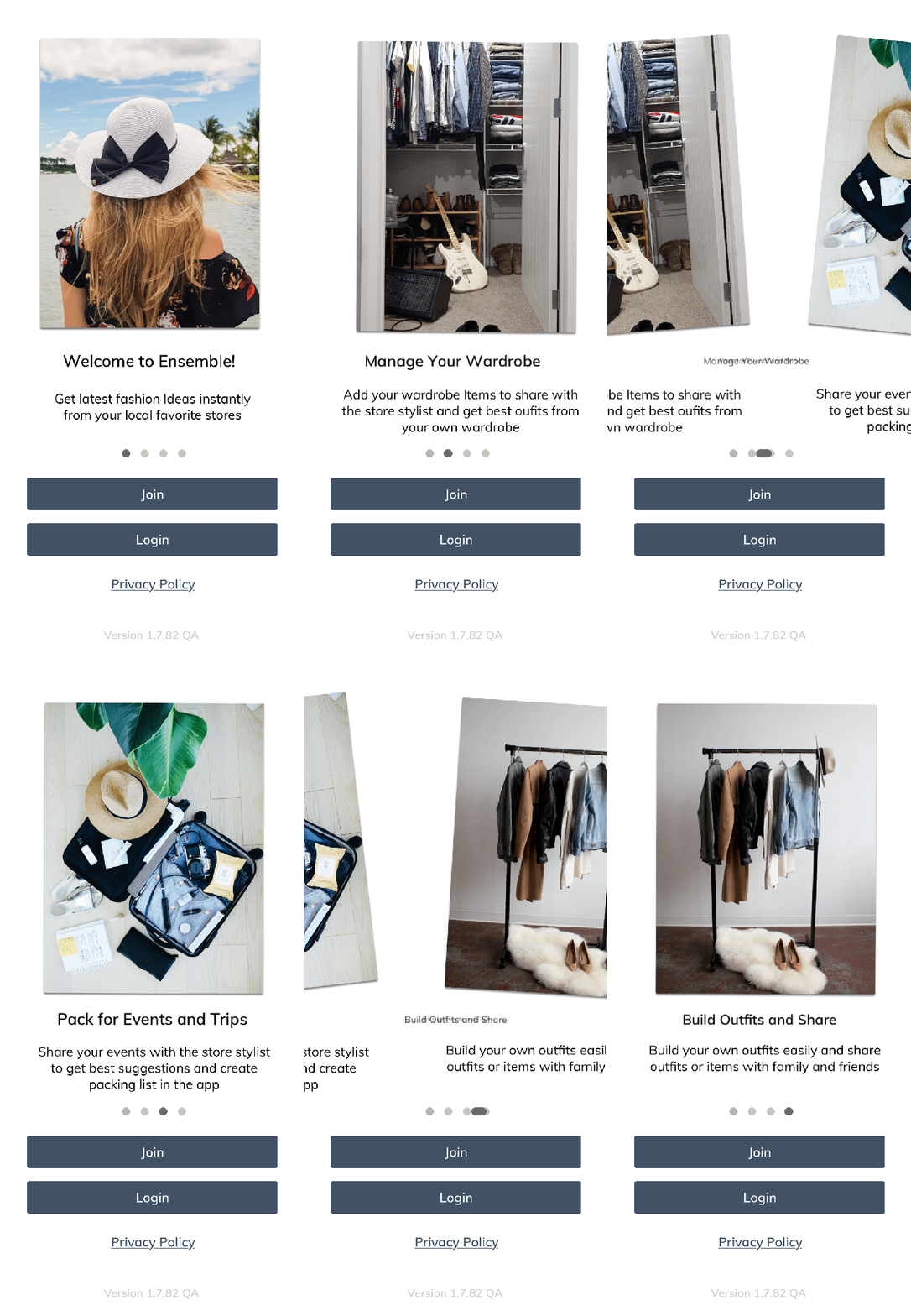
- Onboarding: Simplified app setup for end-users
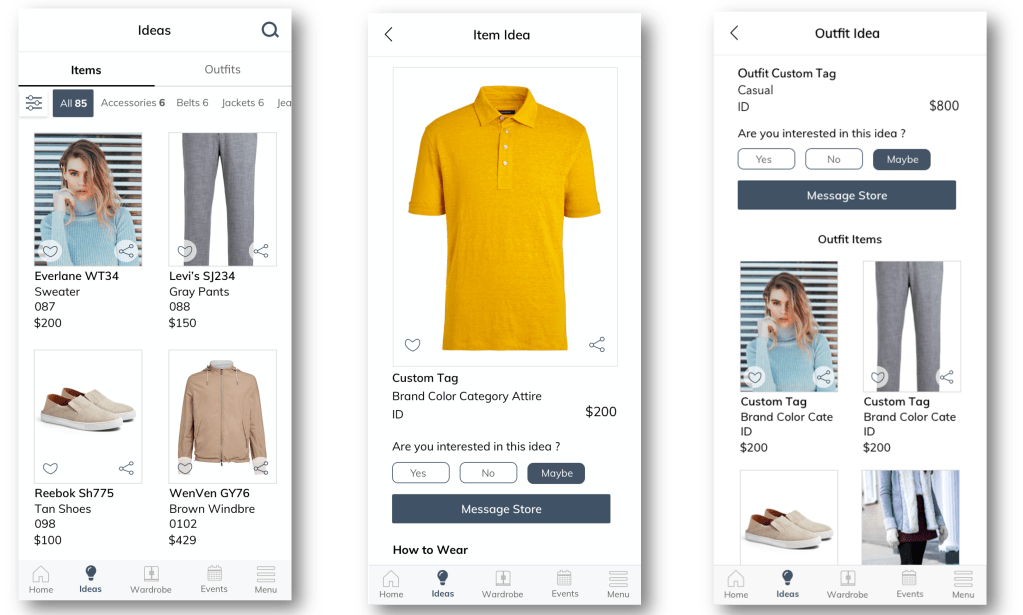
- Send Ideas: Share multiple outfit ideas with one or many clients
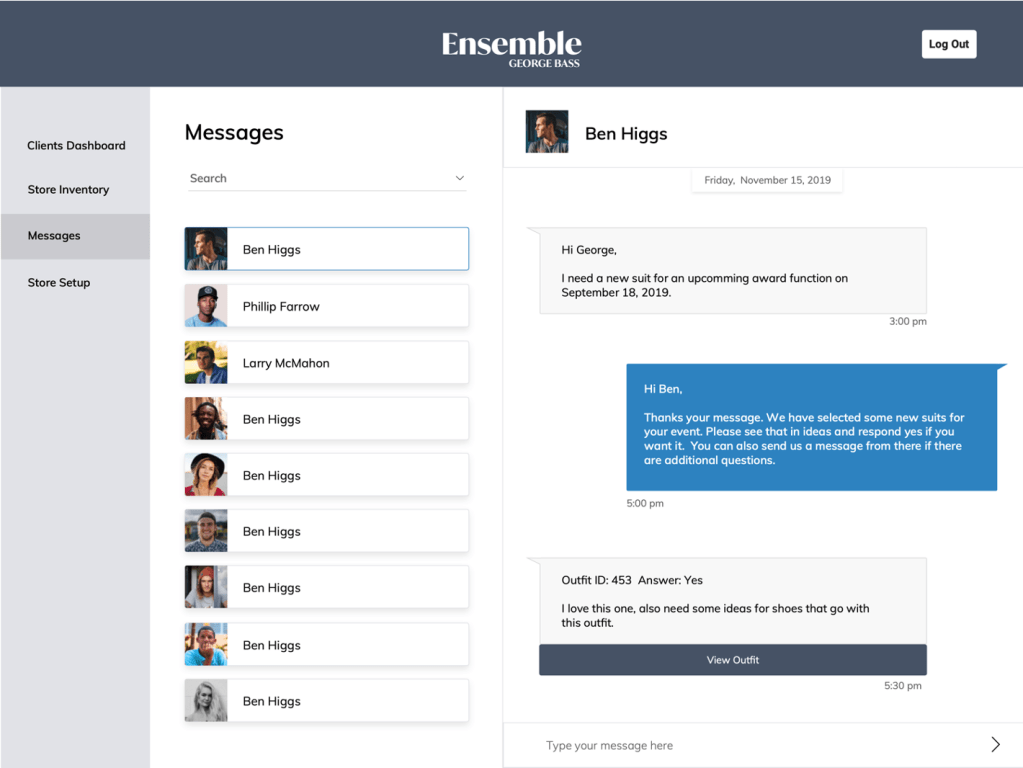
- Messaging: Customers can message stores with outfit references
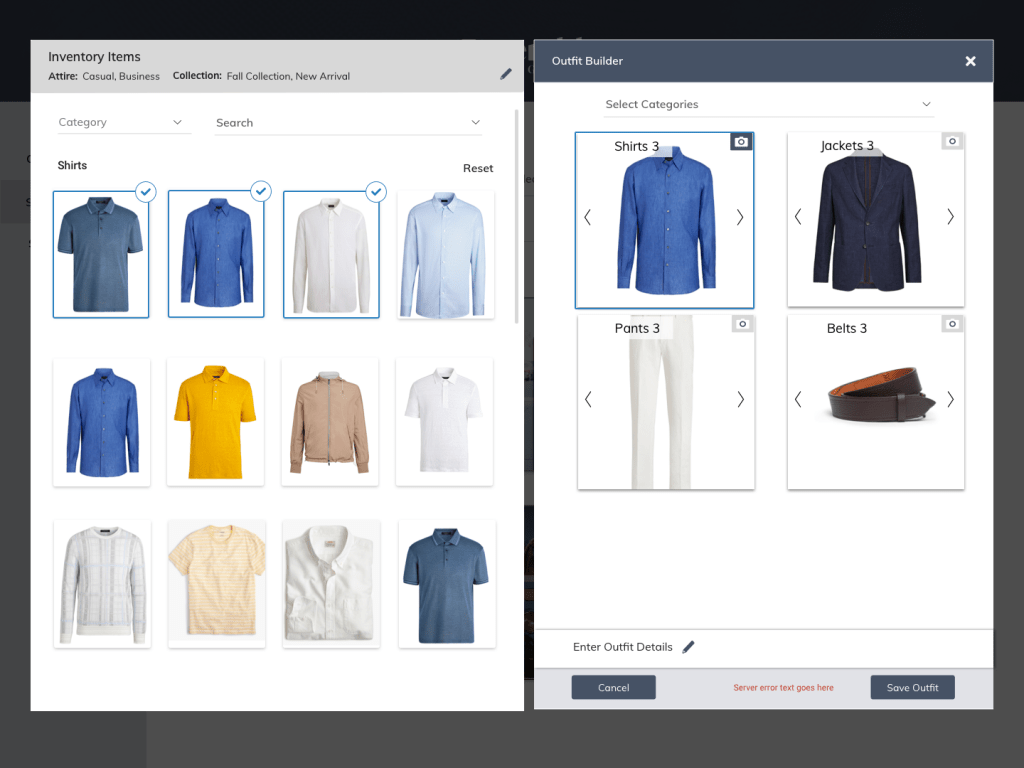
- Outfit Builder: Enables store staff to quickly mix and match inventory items to create outfit ideas
- Collections: Showcase seasonal/trending items for online purchase
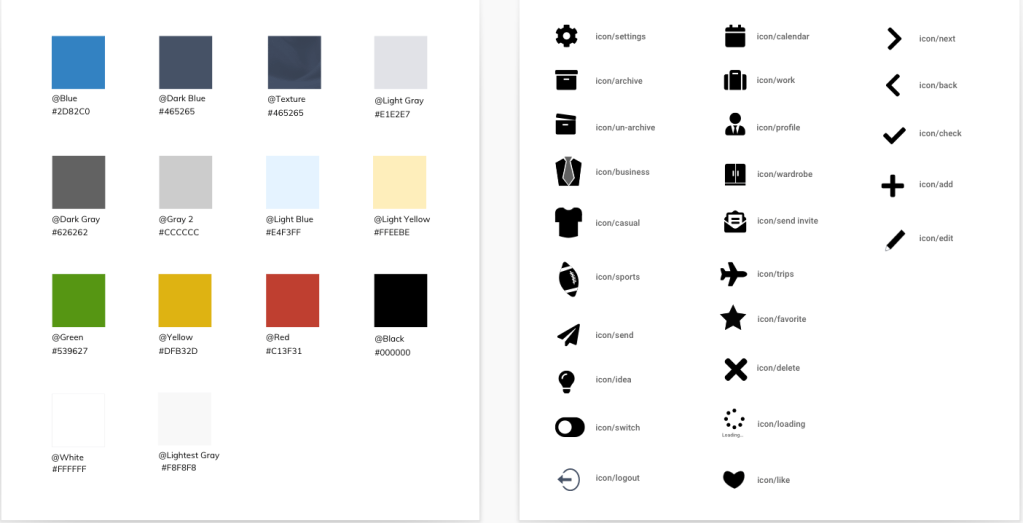
- Visual Design: Style guide and component library for consistency
Storyboarding

Brainstorming layouts
UI Designs
Onboarding customers on mobile app
Sending Ideas to the Customers from the Store
This feature allows store employees/stylists to send bulk ideas to many customers at once directly from the store inventory.

Messages Received by the Store
The store would instantly receive a message from the customer with reference to the idea. This is a significant improvement over text message communication as now store can easily see which idea has been referred to.
Outfit Builder for Creating Outfit Ideas
Enables store staff to quickly mix and match inventory items to create outfit ideas for clients or store displays.
I mapped how stylists plan outfits — selecting items by occasion, theme, or weather — and replicated this workflow in the UI. The tool lets users drag items side by side, swap pieces easily, and build lookbooks digitally.
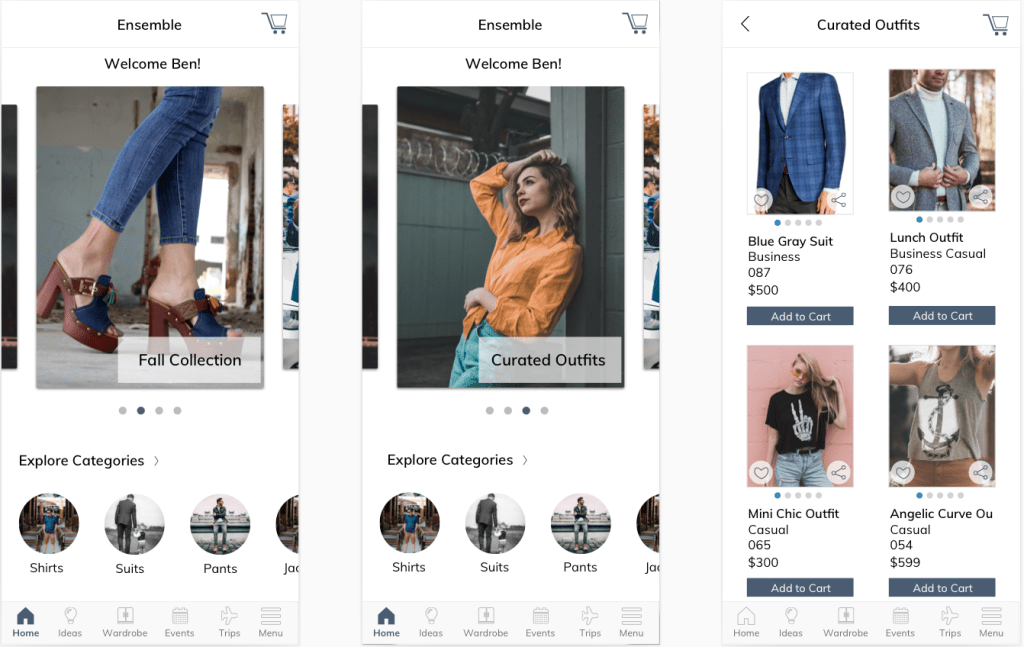
Collections for the Customers to Shop
Lets stores showcase seasonal collections, new arrivals, and curated outfits on the mobile app’s home page. Stores control what and how much to display, helping drive online sales and in-store visits.
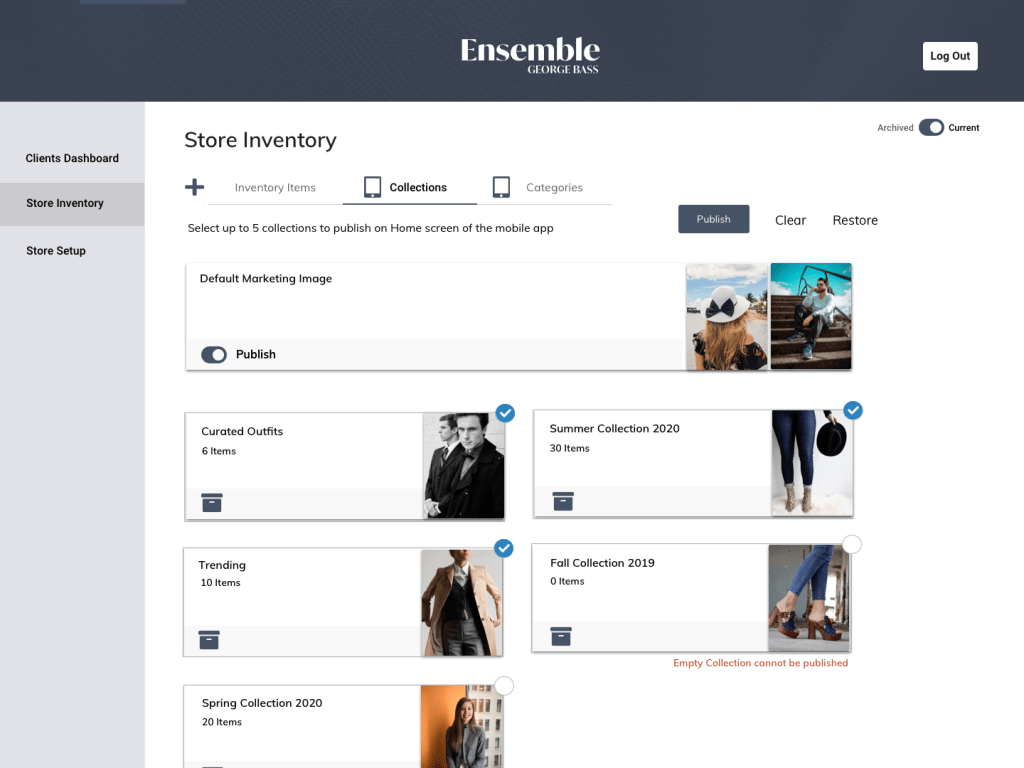
Creating and Publishing Collections by the Store
Lets store staff add, manage, and publish collections that appear on the app’s home screen.
Visual Design Styleguide
Usability Testing
- Created scenarios for each user flow
- Tested with people within the company not involved in the development project to get a new user perspective.
- Tested with people working on the project to get an existing user perspective.
- We received additional feedback from the Clients after each sprint.
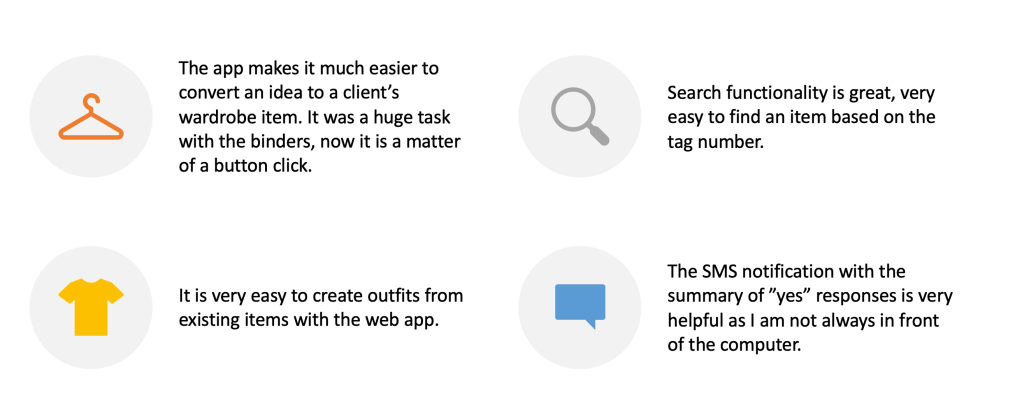
Positive Insights
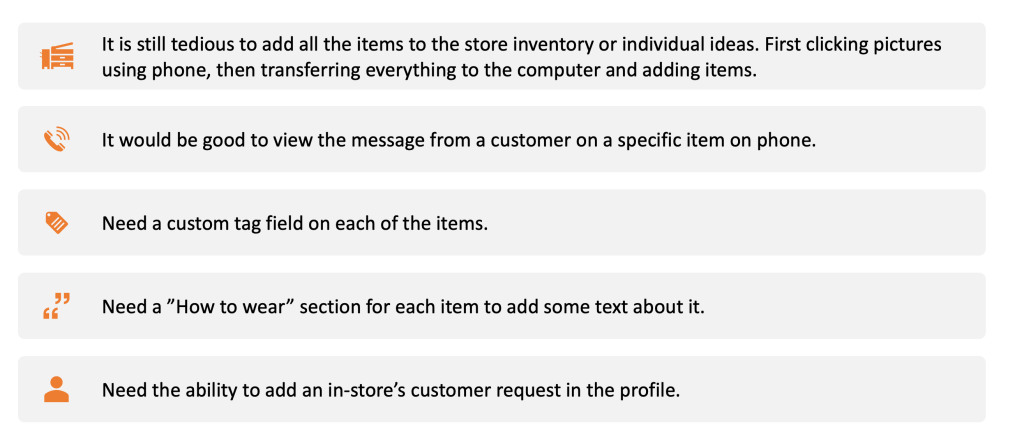
Issues Found
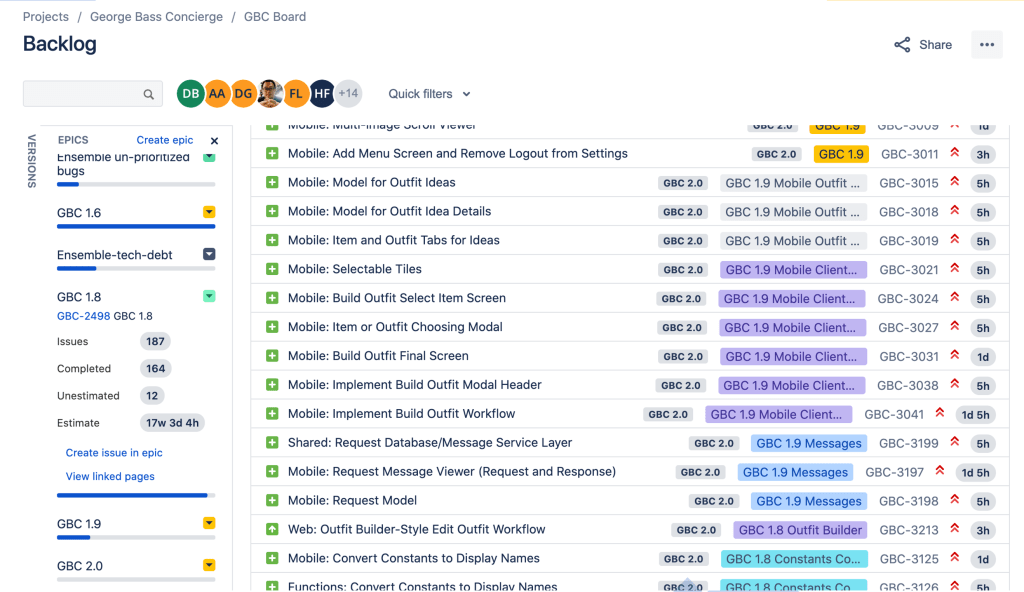
Prioritization and Project Management
- Worked in 2-week agile sprints. I partnered closely with engineers to capture design requirements in Jira, align on priorities, and ensure smooth handoffs.
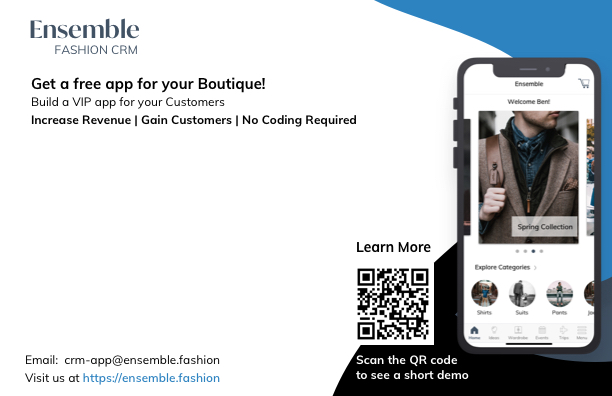
Marketing Materials
Product demo video
Postcard Design

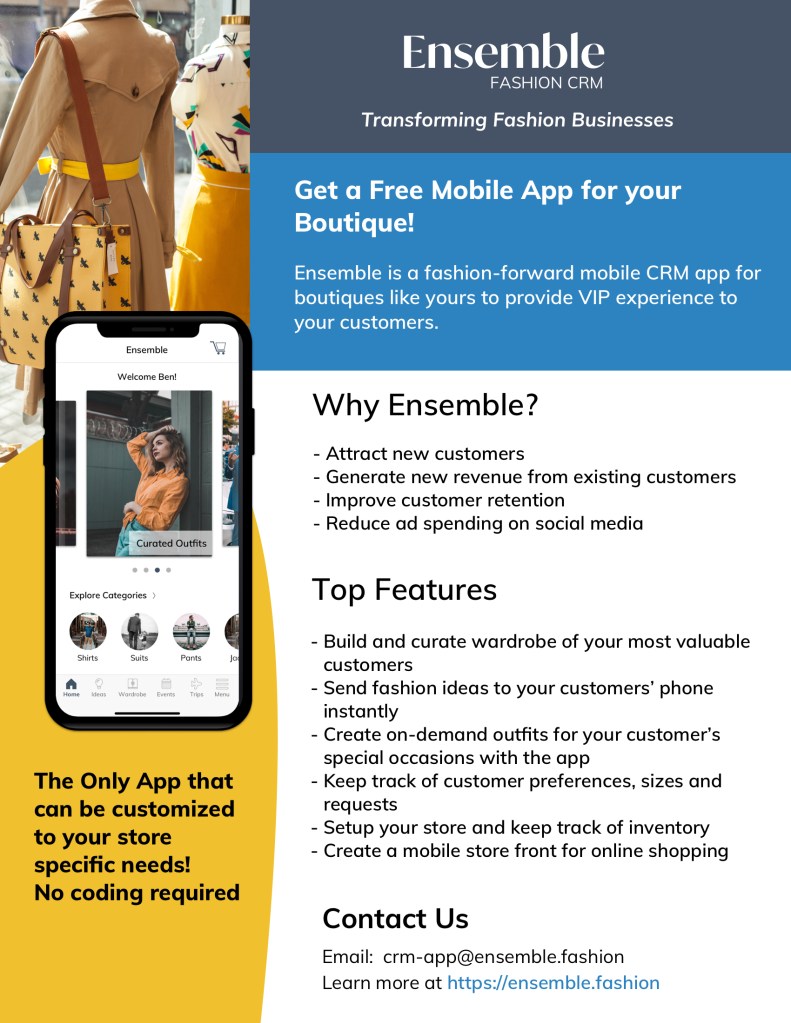
One Pager Design
Key Learnings
- Adapted my UX process to fit fast-paced agile sprints.
- Prioritized MVP features through research and alignment with the product owner.
- Incorporated developer feedback early to address technical constraints.
- Used weekly walkthroughs with engineering to clarify interactions and keep design decisions intentional.
 Damini Bhatt